pacman::p_load(sf,tidyverse)Geospatial Data Science with R
Analysis
R
sf
tidyverse
1.1 Exercise Overview
In this hands-on exercise, I learnt of how to perform geospatial data science tasks in R by using the sf package.
Use pacman::p_load to install and load sf and tidyverse
1.2 Data Acquisition
Data are key to data analytics including geospatial analytics. Hence, before analysing, we need to assemble the necessary data. These data sources publicly available.
- Master Plan 2014 Subzone Boundary (Web) from data.gov.sg
- Pre-Schools Location from data.gov.sg
- Cycling Path from LTADataMall
- Latest version of Singapore Airbnb listing data from Inside Airbnb
1.3 Getting Started
For this exercise, two R packages will be used:
sffor importing, managing, and processing geospatial datatidyversefor performing data science tasks such as importing, wrangling and visualising data.
Tidyverse consists of a family of R packages. In this hands-on exercise, the following packages will be used:
readrfor importing csv datareadxlfor importing Excel worksheettidyrfor manipulating datadplyrfor transforming dataggplot2for visualising data
To install and load these packages into the R environment, we use the p_load function from the pacman package:
The p_load function conveniently installs (if necessary) and loads the sf and tidyverse packages, making them readily available for use in our analysis.
1.4 Importing Geospatial Data into R
In this section, you will learn how to import various geospatial data formats into R using the st_read() of sf package. The following datasets will be imported:
MP14_SUBZONE_WEB_PL, a polygon feature layer in ESRI shapefile format,CyclingPath, a line feature layer in ESRI shapefile format, andPreSchool, a point feature layer in kml file format.
1.4.1 Importing polygon feature data (shapefile format)
The code below demonstrates how to import the MP14_SUBZONE_WEB_PL shapefile into R as a polygon feature data frame using the st_read() function. When dealing with shapefiles, you need to specify two arguments: dsn (the data source path) and layer (the shapefile name). Note that you do not need to include file extensions like .shp, .dbf, .prj, or .shx.
mpsz = st_read(dsn = "data/geospatial/MasterPlan2014SubzoneBoundaryWebSHP",
                  layer = "MP14_SUBZONE_WEB_PL")
Reading layer `MP14_SUBZONE_WEB_PL' from data source
`C:\Users\blzll\OneDrive\Desktop\Y3S1\IS415\Quarto\IS415\Hands-on_Ex\data\geospatial\MasterPlan2014SubzoneBoundaryWebSHP'
using driver `ESRI Shapefile'
Simple feature collection with 323 features and 15 fields
Geometry type: MULTIPOLYGON
Dimension: XY
Bounding box: xmin: 2667.538 ymin: 15748.72 xmax: 56396.44 ymax: 50256.33
Projected CRS: SVY21This message indicates that the mpsz object is a simple feature data frame containing 323 multipolygon features and 15 fields, with the SVY21 projected coordinate system. The bounding box provides the data’s spatial extent.
1.4.2 Importing polyline feature data (Shapefile Format)
The following code demonstrates how to import the CyclingPath shapefile into R as a line feature data frame:
cyclingpath = st_read(dsn = "data/geospatial/CyclingPath_Jul2024",
                         layer = "CyclingPathGazette")
Reading layer `CyclingPathGazette' from data source
`C:\Users\blzll\OneDrive\Desktop\Y3S1\IS415\Quarto\IS415\Hands-on_Ex\data\geospatial\CyclingPath_Jul2024'
using driver `ESRI Shapefile'
Simple feature collection with 3138 features and 2 fields
Geometry type: MULTILINESTRING
Dimension: XY
Bounding box: xmin: 11854.32 ymin: 28347.98 xmax: 42644.17 ymax: 48948.15
Projected CRS: SVY21This output reveals that the cyclingpath object is a simple feature data frame containing 3138 line features and 2 fields, with the same SVY21 projected coordinate system.
1.4.3 Importing GIS data in (KML format)
preschool = st_read("data/geospatial/PreSchoolsLocation.kml")Reading layer `PRESCHOOLS_LOCATION' from data source
`C:\Users\blzll\OneDrive\Desktop\Y3S1\IS415\Quarto\IS415\Hands-on_Ex\data\geospatial\PreSchoolsLocation.kml'
using driver `KML'
Simple feature collection with 2290 features and 2 fields
Geometry type: POINT
Dimension: XYZ
Bounding box: xmin: 103.6878 ymin: 1.247759 xmax: 103.9897 ymax: 1.462134
z_range: zmin: 0 zmax: 0
Geodetic CRS: WGS 84This message indicates that preschool is a point feature data frame with 2290 features and 2 fields, using the WGS 84 geodetic coordinate system, different from the previous datasets.
1.5 Checking the Content of A Simple Feature Data Frame
In this sub-section, we will use different ways to retrieve information related to the content of a simple feature data frame.
1.5.1 Working with st_geometry()
The geometry column in an sf data frame is a list of class sfc. To access the geometry list-column, we use a more general approach, the st_geometry() function, as shown below:
st_geometry(mpsz)Geometry set for 323 features
Geometry type: MULTIPOLYGON
Dimension: XY
Bounding box: xmin: 2667.538 ymin: 15748.72 xmax: 56396.44 ymax: 50256.33
Projected CRS: SVY21
First 5 geometries:This function will display basic information about the feature class, such as the geometry type, geographic extent, and coordinate system.
1.5.2 glimpse()
The glimpse() function reveals the data type of each field, providing insight into the structure and contents of the data frame.
glimpse(mpsz)Rows: 323
Columns: 16
$ OBJECTID <int> 1, 2, 3, 4, 5, 6, 7, 8, 9, 10, 11, 12, 13, 14, 15, 16, 17, …
$ SUBZONE_NO <int> 1, 1, 3, 8, 3, 7, 9, 2, 13, 7, 12, 6, 1, 5, 1, 1, 3, 2, 2, …
$ SUBZONE_N <chr> "MARINA SOUTH", "PEARL'S HILL", "BOAT QUAY", "HENDERSON HIL…
$ SUBZONE_C <chr> "MSSZ01", "OTSZ01", "SRSZ03", "BMSZ08", "BMSZ03", "BMSZ07",…
$ CA_IND <chr> "Y", "Y", "Y", "N", "N", "N", "N", "Y", "N", "N", "N", "N",…
$ PLN_AREA_N <chr> "MARINA SOUTH", "OUTRAM", "SINGAPORE RIVER", "BUKIT MERAH",…
$ PLN_AREA_C <chr> "MS", "OT", "SR", "BM", "BM", "BM", "BM", "SR", "QT", "QT",…
$ REGION_N <chr> "CENTRAL REGION", "CENTRAL REGION", "CENTRAL REGION", "CENT…
$ REGION_C <chr> "CR", "CR", "CR", "CR", "CR", "CR", "CR", "CR", "CR", "CR",…
$ INC_CRC <chr> "5ED7EB253F99252E", "8C7149B9EB32EEFC", "C35FEFF02B13E0E5",…
$ FMEL_UPD_D <date> 2014-12-05, 2014-12-05, 2014-12-05, 2014-12-05, 2014-12-05…
$ X_ADDR <dbl> 31595.84, 28679.06, 29654.96, 26782.83, 26201.96, 25358.82,…
$ Y_ADDR <dbl> 29220.19, 29782.05, 29974.66, 29933.77, 30005.70, 29991.38,…
$ SHAPE_Leng <dbl> 5267.381, 3506.107, 1740.926, 3313.625, 2825.594, 4428.913,…
$ SHAPE_Area <dbl> 1630379.27, 559816.25, 160807.50, 595428.89, 387429.44, 103…
$ geometry <MULTIPOLYGON [m]> MULTIPOLYGON (((31495.56 30..., MULTIPOLYGON (…1.5.3 head()
If you need to examine the complete information of a feature object, the head() function in base R is helpful. It displays the first few records of the data frame:
head(mpsz, n=5) Simple feature collection with 5 features and 15 fields
Geometry type: MULTIPOLYGON
Dimension: XY
Bounding box: xmin: 25867.68 ymin: 28369.47 xmax: 32362.39 ymax: 30435.54
Projected CRS: SVY21
OBJECTID SUBZONE_NO SUBZONE_N SUBZONE_C CA_IND PLN_AREA_N
1 1 1 MARINA SOUTH MSSZ01 Y MARINA SOUTH
2 2 1 PEARL'S HILL OTSZ01 Y OUTRAM
3 3 3 BOAT QUAY SRSZ03 Y SINGAPORE RIVER
4 4 8 HENDERSON HILL BMSZ08 N BUKIT MERAH
5 5 3 REDHILL BMSZ03 N BUKIT MERAH
PLN_AREA_C REGION_N REGION_C INC_CRC FMEL_UPD_D X_ADDR
1 MS CENTRAL REGION CR 5ED7EB253F99252E 2014-12-05 31595.84
2 OT CENTRAL REGION CR 8C7149B9EB32EEFC 2014-12-05 28679.06
3 SR CENTRAL REGION CR C35FEFF02B13E0E5 2014-12-05 29654.96
4 BM CENTRAL REGION CR 3775D82C5DDBEFBD 2014-12-05 26782.83
5 BM CENTRAL REGION CR 85D9ABEF0A40678F 2014-12-05 26201.96
Y_ADDR SHAPE_Leng SHAPE_Area geometry
1 29220.19 5267.381 1630379.3 MULTIPOLYGON (((31495.56 30...
2 29782.05 3506.107 559816.2 MULTIPOLYGON (((29092.28 30...
3 29974.66 1740.926 160807.5 MULTIPOLYGON (((29932.33 29...
4 29933.77 3313.625 595428.9 MULTIPOLYGON (((27131.28 30...
5 30005.70 2825.594 387429.4 MULTIPOLYGON (((26451.03 30...The head() function is particularly useful for quickly inspecting a subset of the data.
1.6 Plotting the Geospatial Data
In geospatial data science, visualizing geospatial features is crucial. The plot() function from base R allows you to quickly visualize these features:
plot(mpsz)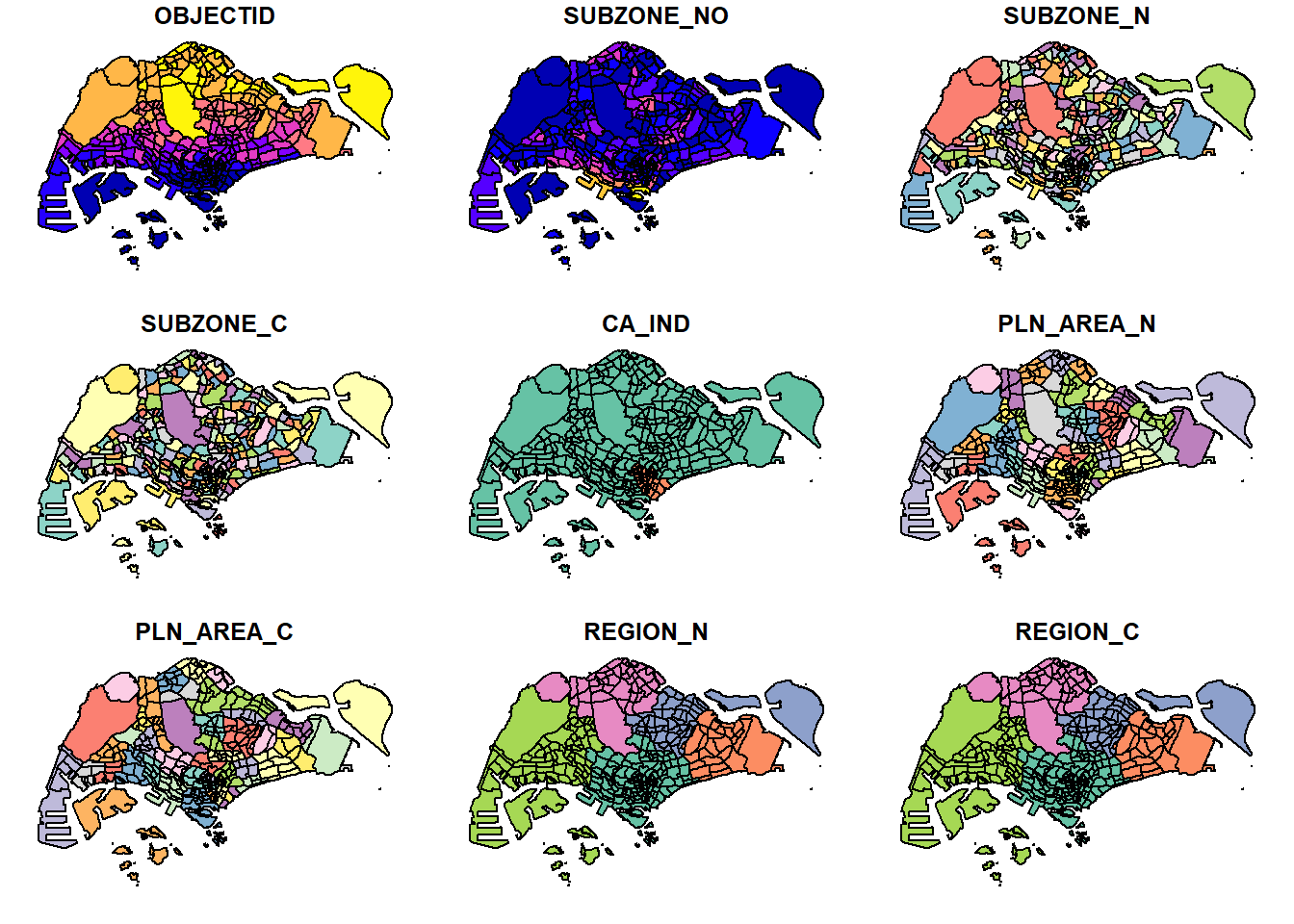
By default, this function creates a multi-plot of all attributes. You can also plot only the geometry using:
plot(st_geometry(mpsz))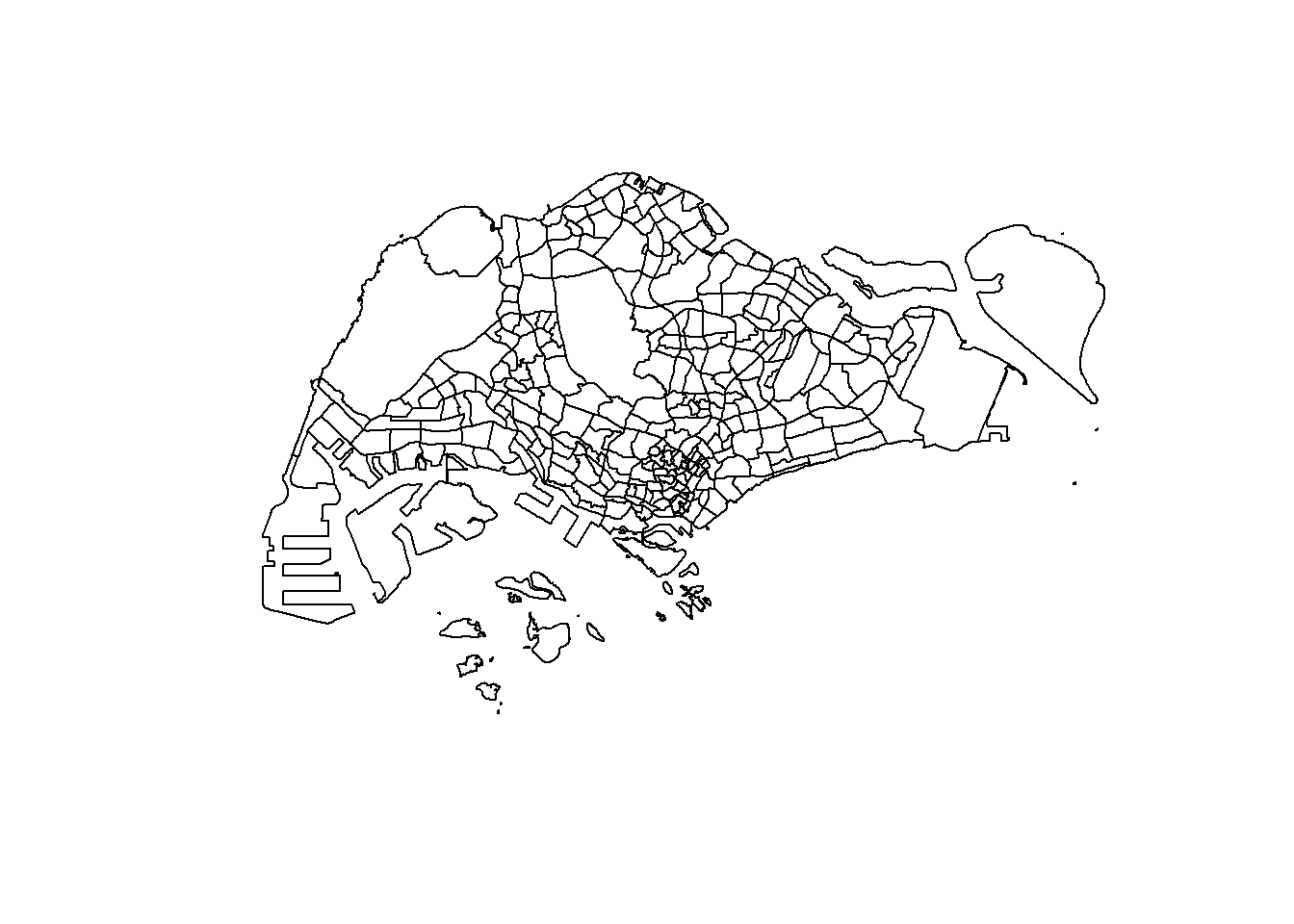
Or plot the sf object based on a specific attribute:
plot(mpsz["PLN_AREA_N"])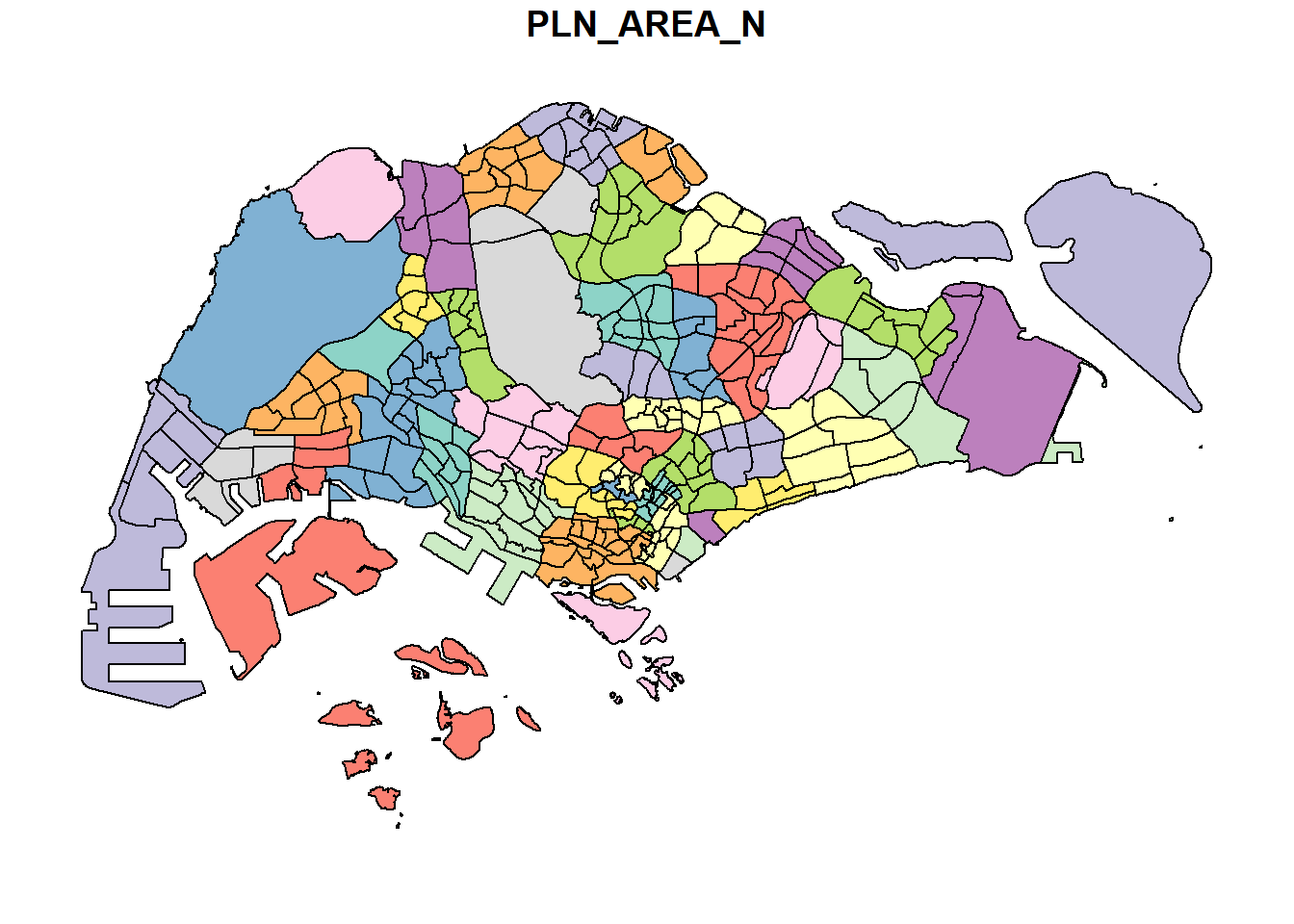
1.7 Working with Projection
Map projection is a key aspect of geospatial data. To perform geoprocessing on two datasets, they must share the same coordinate system.
In this section, we will learn how to project a simple feature data frame from one coordinate system to another coordinate system. The technical term of this process is called projection transformation.
1.7.1 Assigning EPSG code to a simple feature data frame
When importing geospatial data into R, the coordinate system might be missing or incorrectly assigned. You can check the coordinate system of a simple feature data frame using st_crs():
This is an example the coordinate system of mpsz simple feature data frame by using st_crs() of sf package as shown in the code chunk below.
st_crs(mpsz)Coordinate Reference System:
User input: SVY21
wkt:
PROJCRS["SVY21",
BASEGEOGCRS["SVY21[WGS84]",
DATUM["World Geodetic System 1984",
ELLIPSOID["WGS 84",6378137,298.257223563,
LENGTHUNIT["metre",1]],
ID["EPSG",6326]],
PRIMEM["Greenwich",0,
ANGLEUNIT["Degree",0.0174532925199433]]],
CONVERSION["unnamed",
METHOD["Transverse Mercator",
ID["EPSG",9807]],
PARAMETER["Latitude of natural origin",1.36666666666667,
ANGLEUNIT["Degree",0.0174532925199433],
ID["EPSG",8801]],
PARAMETER["Longitude of natural origin",103.833333333333,
ANGLEUNIT["Degree",0.0174532925199433],
ID["EPSG",8802]],
PARAMETER["Scale factor at natural origin",1,
SCALEUNIT["unity",1],
ID["EPSG",8805]],
PARAMETER["False easting",28001.642,
LENGTHUNIT["metre",1],
ID["EPSG",8806]],
PARAMETER["False northing",38744.572,
LENGTHUNIT["metre",1],
ID["EPSG",8807]]],
CS[Cartesian,2],
AXIS["(E)",east,
ORDER[1],
LENGTHUNIT["metre",1,
ID["EPSG",9001]]],
AXIS["(N)",north,
ORDER[2],
LENGTHUNIT["metre",1,
ID["EPSG",9001]]]]Although mpsz data frame is projected in svy21 but when we read until the end of the print, it indicates that the EPSG is 9001. This is a wrong EPSG code because the correct EPSG code for svy21 should be 3414.
In order to assign the correct EPSG code to mpsz data frame, st_set_crs() of sf package is used as shown in the code chunk below.
mpsz3414 <- st_set_crs(mpsz, 3414)Now, let us check the CSR again by using the code chunk below.
st_crs(mpsz3414)Coordinate Reference System:
User input: EPSG:3414
wkt:
PROJCRS["SVY21 / Singapore TM",
BASEGEOGCRS["SVY21",
DATUM["SVY21",
ELLIPSOID["WGS 84",6378137,298.257223563,
LENGTHUNIT["metre",1]]],
PRIMEM["Greenwich",0,
ANGLEUNIT["degree",0.0174532925199433]],
ID["EPSG",4757]],
CONVERSION["Singapore Transverse Mercator",
METHOD["Transverse Mercator",
ID["EPSG",9807]],
PARAMETER["Latitude of natural origin",1.36666666666667,
ANGLEUNIT["degree",0.0174532925199433],
ID["EPSG",8801]],
PARAMETER["Longitude of natural origin",103.833333333333,
ANGLEUNIT["degree",0.0174532925199433],
ID["EPSG",8802]],
PARAMETER["Scale factor at natural origin",1,
SCALEUNIT["unity",1],
ID["EPSG",8805]],
PARAMETER["False easting",28001.642,
LENGTHUNIT["metre",1],
ID["EPSG",8806]],
PARAMETER["False northing",38744.572,
LENGTHUNIT["metre",1],
ID["EPSG",8807]]],
CS[Cartesian,2],
AXIS["northing (N)",north,
ORDER[1],
LENGTHUNIT["metre",1]],
AXIS["easting (E)",east,
ORDER[2],
LENGTHUNIT["metre",1]],
USAGE[
SCOPE["Cadastre, engineering survey, topographic mapping."],
AREA["Singapore - onshore and offshore."],
BBOX[1.13,103.59,1.47,104.07]],
ID["EPSG",3414]]Notice that the EPSG code is 3414 now.
1.7.2 Transforming the projection of preschool from wgs84 to svy21
In geospatial analytics, it is very common for us to transform the original data from geographic coordinate system to projected coordinate system. This is because geographic coordinate system is not appropriate if the analysis need to use distance or/and area measurements.
Let us take preschool simple feature data frame as an example. The print below reveals that it is in wgs84 coordinate system.
st_geometry(preschool)Geometry set for 2290 features
Geometry type: POINT
Dimension: XYZ
Bounding box: xmin: 103.6878 ymin: 1.247759 xmax: 103.9897 ymax: 1.462134
z_range: zmin: 0 zmax: 0
Geodetic CRS: WGS 84
First 5 geometries:This is a scenario that st_set_crs() is not appropriate and st_transform() of sf package should be used. This is because we need to reproject preschool from one coordinate system to another coordinate system mathemetically.
Let us perform the projection transformation by using the code chunk below.
preschool3414 <- st_transform(preschool,
                              crs = 3414)
Next, let us display the content of preschool3414 sf data frame as shown below.
st_geometry(preschool3414)Geometry set for 2290 features
Geometry type: POINT
Dimension: XYZ
Bounding box: xmin: 11810.03 ymin: 25596.33 xmax: 45404.24 ymax: 49300.88
z_range: zmin: 0 zmax: 0
Projected CRS: SVY21 / Singapore TM
First 5 geometries:1.8 Importing and Converting An Aspatial Data
An example of aspatial data would be listing of inside Airbnb. This is because it is not a geospatial data but among the data fields, there are two fields that capture the x- and y-coordinates of the data points.
In this section, we will be importing an aspatial data into R environment and save it as a tibble data frame. Next, we will convert it into a simple feature data frame.
1.8.1 Importing the aspatial data
listings <- read_csv("data/aspatial/listings.csv")After importing, it’s important to check that the data was imported correctly using list():
list(listings) [[1]]
# A tibble: 3,540 × 18
id name host_id host_name neighbourhood_group neighbourhood latitude
<dbl> <chr> <dbl> <chr> <chr> <chr> <dbl>
1 71609 Ensuite … 367042 Belinda East Region Tampines 1.35
2 71896 B&B Roo… 367042 Belinda East Region Tampines 1.35
3 71903 Room 2-n… 367042 Belinda East Region Tampines 1.35
4 275343 10min wa… 1439258 Kay Central Region Bukit Merah 1.29
5 275344 15 mins … 1439258 Kay Central Region Bukit Merah 1.29
6 289234 Booking … 367042 Belinda East Region Tampines 1.34
7 294281 5 mins w… 1521514 Elizabeth Central Region Newton 1.31
8 324945 Comforta… 1439258 Kay Central Region Bukit Merah 1.29
9 330095 Relaxing… 1439258 Kay Central Region Bukit Merah 1.29
10 344803 Budget s… 367042 Belinda East Region Tampines 1.35
# ℹ 3,530 more rows
# ℹ 11 more variables: longitude <dbl>, room_type <chr>, price <dbl>,
# minimum_nights <dbl>, number_of_reviews <dbl>, last_review <date>,
# reviews_per_month <dbl>, calculated_host_listings_count <dbl>,
# availability_365 <dbl>, number_of_reviews_ltm <dbl>, license <chr>1.8.2 Creating a simple feature data frame from an aspatial data frame
The code chunk below converts listing data frame into a simple feature data frame by using st_as_sf() of sf packages
listings_sf <- st_as_sf(listings,
                       coords = c("longitude", "latitude"),
                       crs=4326) %>%
  st_transform(crs = 3414)
Things to learn from the arguments above:
- coords argument requires you to provide the column name of the x-coordinates first then followed by the column name of the y-coordinates.
- crs argument requires you to provide the coordinates system in epsg format. EPSG: 4326 is wgs84 Geographic Coordinate System and EPSG: 3414 is Singapore SVY21 Projected Coordinate System. You can search for other country’s epsg code by referring to epsg.io.
- %>% is used to nest st_transform() to transform the newly created simple feature data frame into svy21 projected coordinates system.
Let us examine the content of this newly created simple feature data frame.
glimpse(listings_sf)Rows: 3,540
Columns: 17
$ id <dbl> 71609, 71896, 71903, 275343, 275344, 28…
$ name <chr> "Ensuite Room (Room 1 & 2) near EXPO", …
$ host_id <dbl> 367042, 367042, 367042, 1439258, 143925…
$ host_name <chr> "Belinda", "Belinda", "Belinda", "Kay",…
$ neighbourhood_group <chr> "East Region", "East Region", "East Reg…
$ neighbourhood <chr> "Tampines", "Tampines", "Tampines", "Bu…
$ room_type <chr> "Private room", "Private room", "Privat…
$ price <dbl> NA, 80, 80, 50, 50, NA, 85, 65, 45, 54,…
$ minimum_nights <dbl> 92, 92, 92, 180, 180, 92, 92, 180, 180,…
$ number_of_reviews <dbl> 19, 24, 46, 20, 16, 12, 131, 17, 5, 60,…
$ last_review <date> 2020-01-17, 2019-10-13, 2020-01-09, 20…
$ reviews_per_month <dbl> 0.12, 0.15, 0.29, 0.15, 0.11, 0.08, 0.8…
$ calculated_host_listings_count <dbl> 6, 6, 6, 49, 49, 6, 7, 49, 49, 6, 7, 7,…
$ availability_365 <dbl> 89, 148, 90, 62, 0, 88, 365, 0, 0, 365,…
$ number_of_reviews_ltm <dbl> 0, 0, 0, 0, 2, 0, 0, 1, 1, 1, 0, 0, 0, …
$ license <chr> NA, NA, NA, "S0399", "S0399", NA, NA, "…
$ geometry <POINT [m]> POINT (41972.5 36390.05), POINT (…Table above shows the content of listing_sf. Notice that a new column called geometry has been added into the data frame. On the other hand, the longitude and latitude columns have been dropped from the data frame.
1.9 Geoprocessing with sf package
In this section, we will perform two commonly used geoprocessing functions, namely buffering and point in polygon count.
1.9.1 Buffering
The scenario:
The authority is planning to upgrade the exiting cycling path. To do so, they need to acquire 5 metres of reserved land on the both sides of the current cycling path. You are tasked to determine the extend of the land need to be acquired and their total area.
The solution:
Firstly, st_buffer() of sf package is used to compute the 5-meter buffers around cycling paths
buffer_cycling <- st_buffer(cyclingpath,
                               dist=5, nQuadSegs = 30)
This is followed by calculating the area of the buffers as shown in the code chunk below.
buffer_cycling$AREA <- st_area(buffer_cycling)Lastly, sum() of Base R will be used to derive the total land involved
sum(buffer_cycling$AREA)2218855 [m^2]Mission Accomplished!
Point-in-polygon count
The scenario:
A pre-school service group want to find out the numbers of pre-schools in each Planning Subzone.
The solution:
The code chunk below performs two operations at one go. Firstly, identify pre-schools located inside each Planning Subzone by using st_intersects(). Next, length() of Base R is used to calculate numbers of pre-schools that fall inside each planning subzone.
mpsz3414$`PreSch Count`<- lengths(st_intersects(mpsz3414, preschool3414))You can check the summary statistics of the newly derived PreSch Count field by using summary() as shown in the code chunk below.
summary(mpsz3414$`PreSch Count`) Min. 1st Qu. Median Mean 3rd Qu. Max.
0.00 0.00 4.00 7.09 10.00 72.00 To list the planning subzone with the most number of pre-school, the top_n() of dplyr package is used as shown in the code chunk below.
top_n(mpsz3414, 1, `PreSch Count`)Simple feature collection with 1 feature and 16 fields
Geometry type: MULTIPOLYGON
Dimension: XY
Bounding box: xmin: 39655.33 ymin: 35966 xmax: 42940.57 ymax: 38622.37
Projected CRS: SVY21 / Singapore TM
OBJECTID SUBZONE_NO SUBZONE_N SUBZONE_C CA_IND PLN_AREA_N PLN_AREA_C
1 189 2 TAMPINES EAST TMSZ02 N TAMPINES TM
REGION_N REGION_C INC_CRC FMEL_UPD_D X_ADDR Y_ADDR SHAPE_Leng
1 EAST REGION ER 21658EAAF84F4D8D 2014-12-05 41122.55 37392.39 10180.62
SHAPE_Area geometry PreSch Count
1 4339824 MULTIPOLYGON (((42196.76 38... 72Calculating Density of Preschool by planning subzone
Firstly, the code chunk below uses st_area() of sf package to derive the area of each planning subzone.
mpsz3414$Area <- mpsz3414 %>%
  st_area()
Next, mutate() of dplyr package is used to compute the density by using the code chunk below.
mpsz3414 <- mpsz3414 %>%
  mutate(`PreSch Density` = `PreSch Count`/Area * 1000000)
1.10 Exploratory Data Analysis (EDA)
In practice, many geospatial analytics start with Exploratory Data Analysis. In this section, you will learn how to use appropriate ggplot2 functions to create functional and yet truthful statistical graphs for EDA purposes.
Firstly, we will plot a histogram to reveal the distribution of PreSch Density. Conventionally, hist() of R Graphics will be used as shown in the code chunk below.
hist(mpsz3414$`PreSch Density`)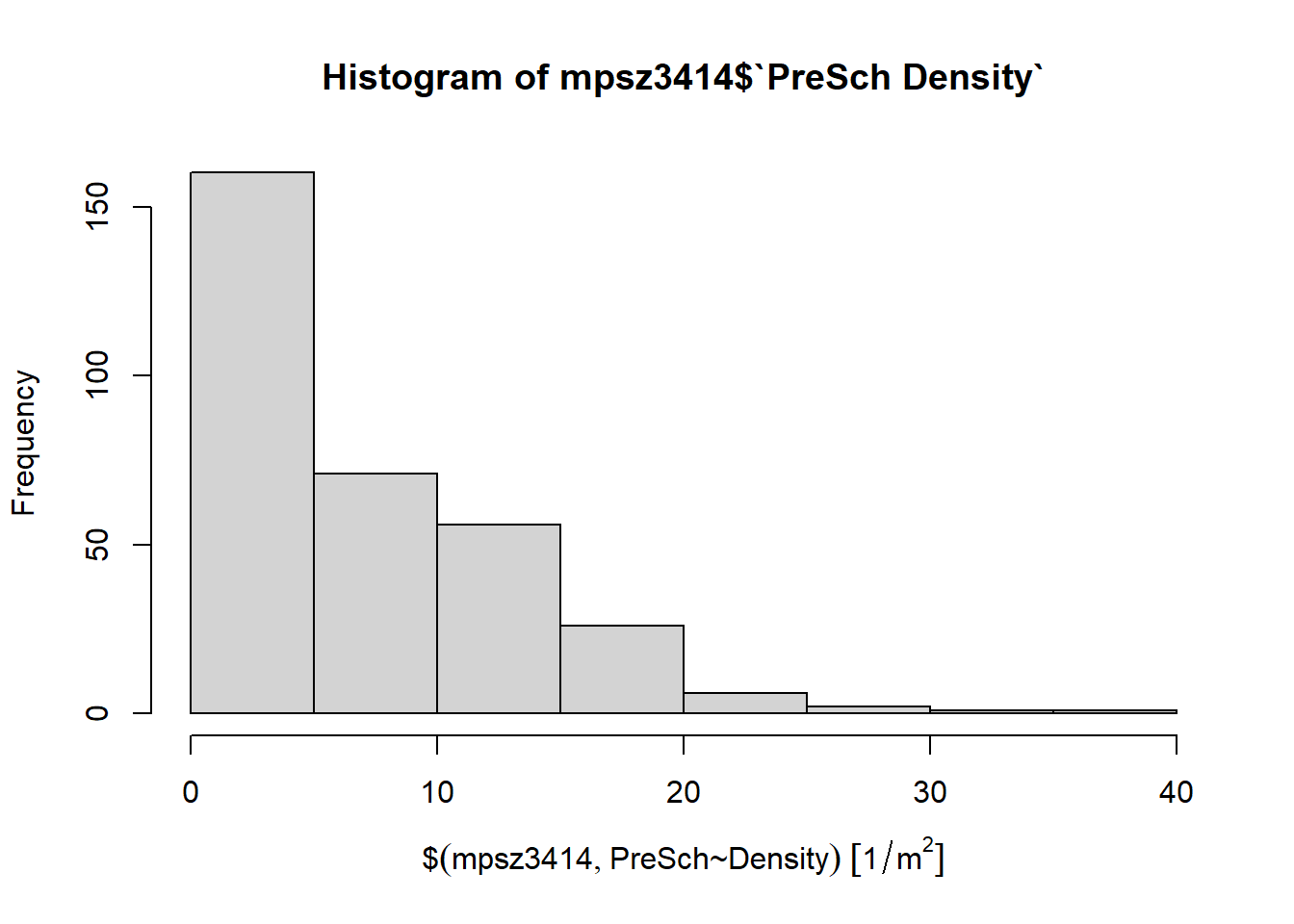
Although the syntax is very easy to use however the output is far from meeting publication quality. Furthermore, the function has limited room for further customisation.
In the code chunk below, appropriate ggplot2 functions will be used.
ggplot(data=mpsz3414,
       aes(x= as.numeric(`PreSch Density`)))+
  geom_histogram(bins=20,
                 color="black",
                 fill="light blue") +
  labs(title = "Are pre-school even distributed in Singapore?",
       subtitle= "There are many planning sub-zones with a single pre-school, on the other hand, \nthere are two planning sub-zones with at least 20 pre-schools",
      x = "Pre-school density (per km sq)",
      y = "Frequency")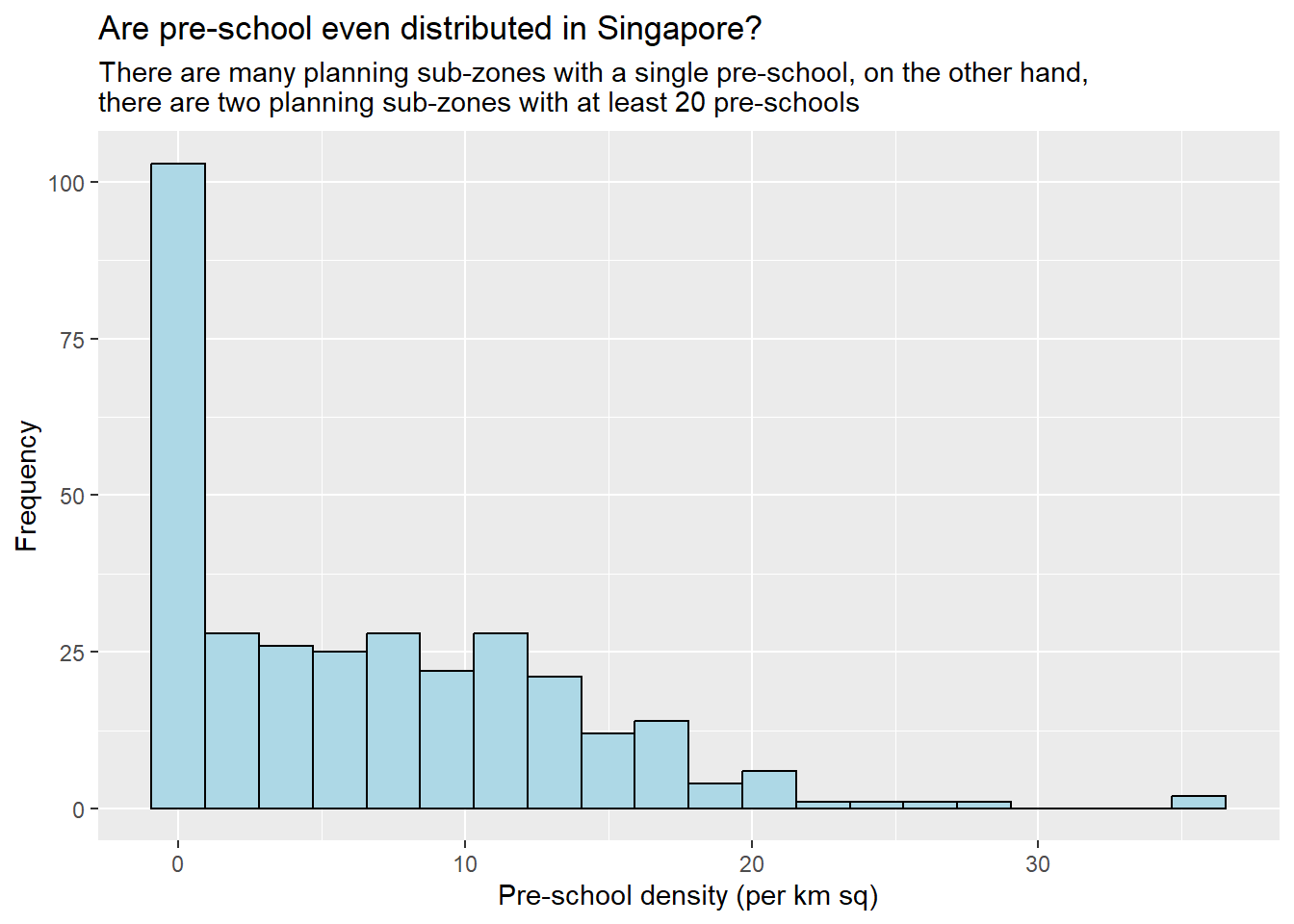
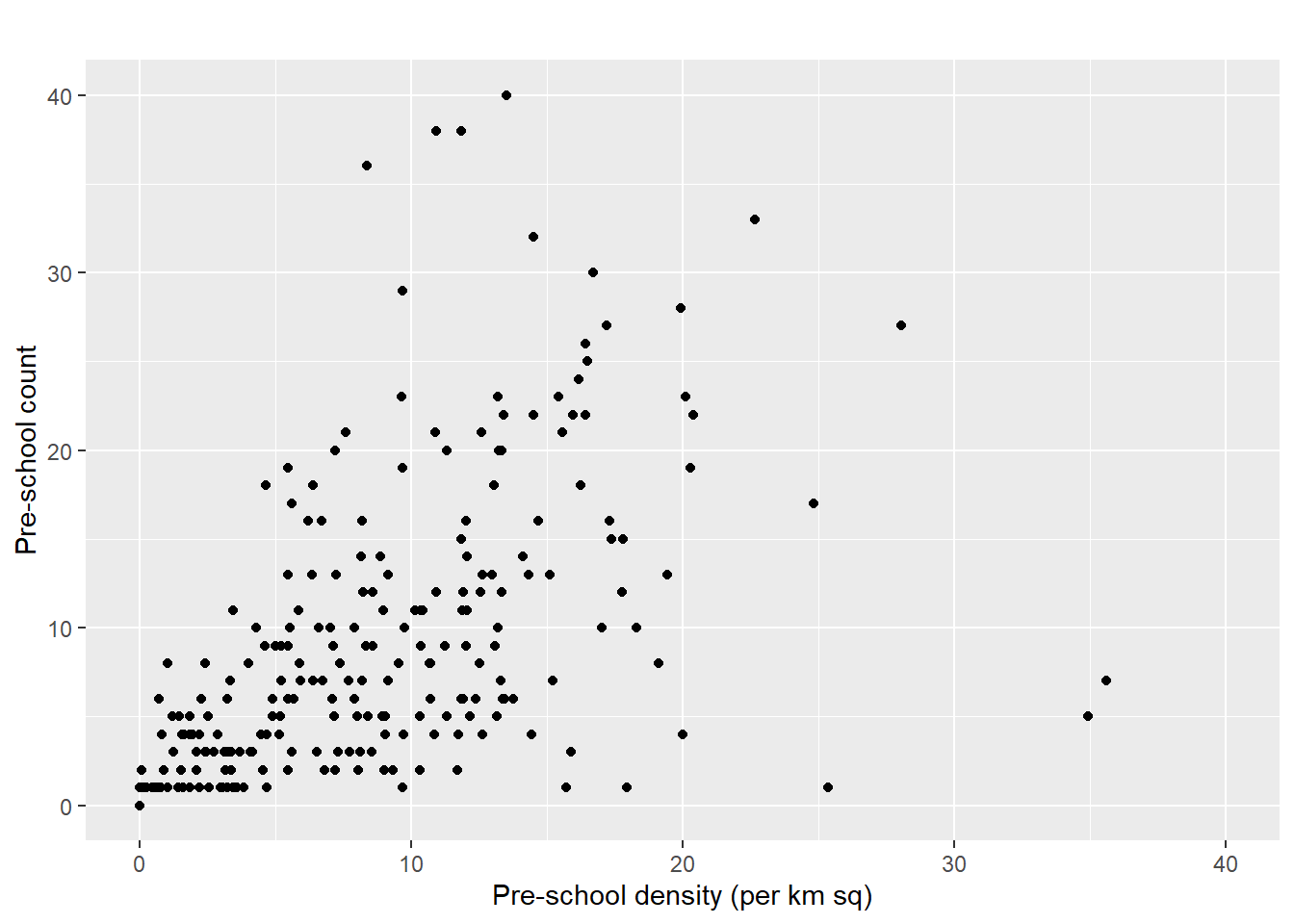
Using ggplot2 method to plot a scatterplot showing the relationship between Pre-school Density and Pre-school Count:
ggplot(data=mpsz3414,
       aes(y = `PreSch Count`,
           x= as.numeric(`PreSch Density`)))+
  geom_point(color="black",
             fill="light blue") +
  xlim(0, 40) +
  ylim(0, 40) +
  labs(title = "",
      x = "Pre-school density (per km sq)",
      y = "Pre-school count")